15 New Year Home Office Organization Ideas for a Desk That Works
Introduction
January is the one month of the year when a desk reset actually sticks. The holidays are over, the work year is starting fresh, and the desk that collected mail, chargers, half-finished projects, and coffee cups all through December is asking for a clean start. A home office works best when it is a system, not a pile — a place where the things you use every day are within reach, the things you use once a month have a labeled home, and nothing sits on the desk just because there was nowhere else to put it.
These New Year home office organization ideas are about systems, storage, and habits — not decoration. There is no garland here, no mini tree, no wreath for the video-call camera. That is a different article. This one is the January reset: empty the desk completely, sort everything into keep, relocate, and let go, tame the cables, give every drawer a divider, build a filing system that handles paper instead of stacking it, and set up a planning station and a weekly reset habit so the desk still looks this good in March. The same bin-and-label thinking runs through our pantry organization ideas and our laundry room organization ideas, and if the rest of the house needs the same treatment, our guide on how to declutter your home room by room walks through the whole house one room at a time.
1. Empty Everything Off the Desk
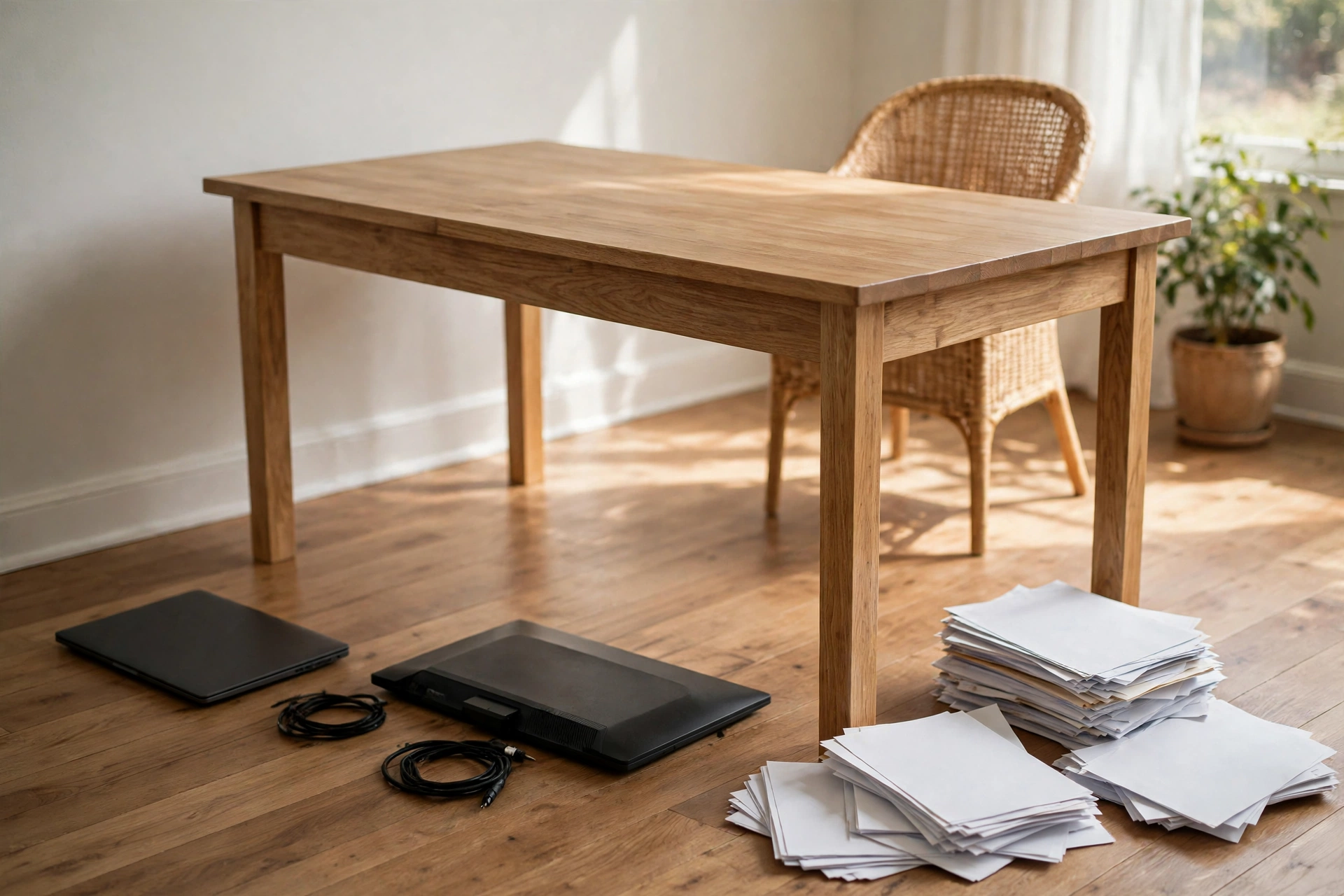
Every New Year home office organization project starts the same way: take everything off the desk. Every pen, every cable, every stack of paper, every mug, every sticky note — all of it, onto the floor or the bed. You cannot organize a desk you cannot see, and you will be surprised at what has been living on it: three phone chargers, two dead pens, a notebook from last spring, and a stack of papers you already dealt with months ago.
While the desk is bare, wipe it down properly — top, edges, and the drawer fronts — and check what is underneath the clutter. A scratched or stained desktop is a good reason to add a desk mat later, and a wobbly leg is worth fixing now while the desk is empty. Do not put a single thing back until the desk is clean and dry. The empty desk is the blank slate the whole reset depends on, and ten minutes of clearing it now saves an hour of shuffling things around later.
2. Sort: Keep, Relocate, Let Go
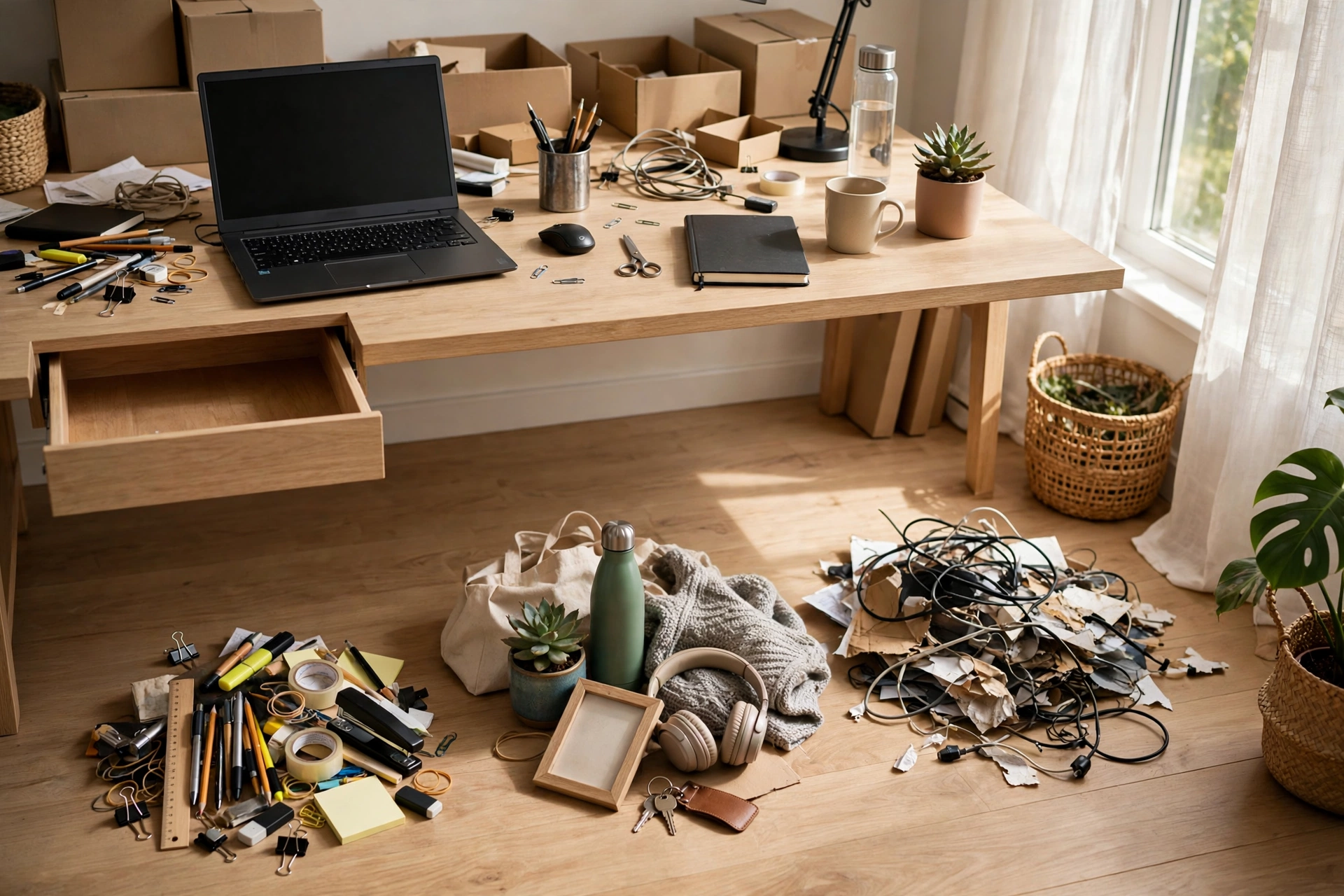
With everything off the desk, sort it into three piles before anything goes back: keep on the desk, relocate somewhere else in the house, and let go. The keep pile is small — the things you use every single workday: your laptop or monitor, a pen or two, your planner, and your current project folder. Everything else is a candidate for the other two piles.
The relocate pile is for things that belong in the desk but not on it: reference books go on the shelf, extra supplies go in a drawer or a closet bin, and the spare charger lives in the drawer, not tangled on the desktop. The let-go pile is for dead pens, dried-out markers, old receipts, broken cables, and papers you no longer need — shred the papers with personal information, recycle the rest, and toss what is broken. Be honest here: if you have not used it since September, it does not earn a spot on the desk.
3. A Desk Organizer for Small Things
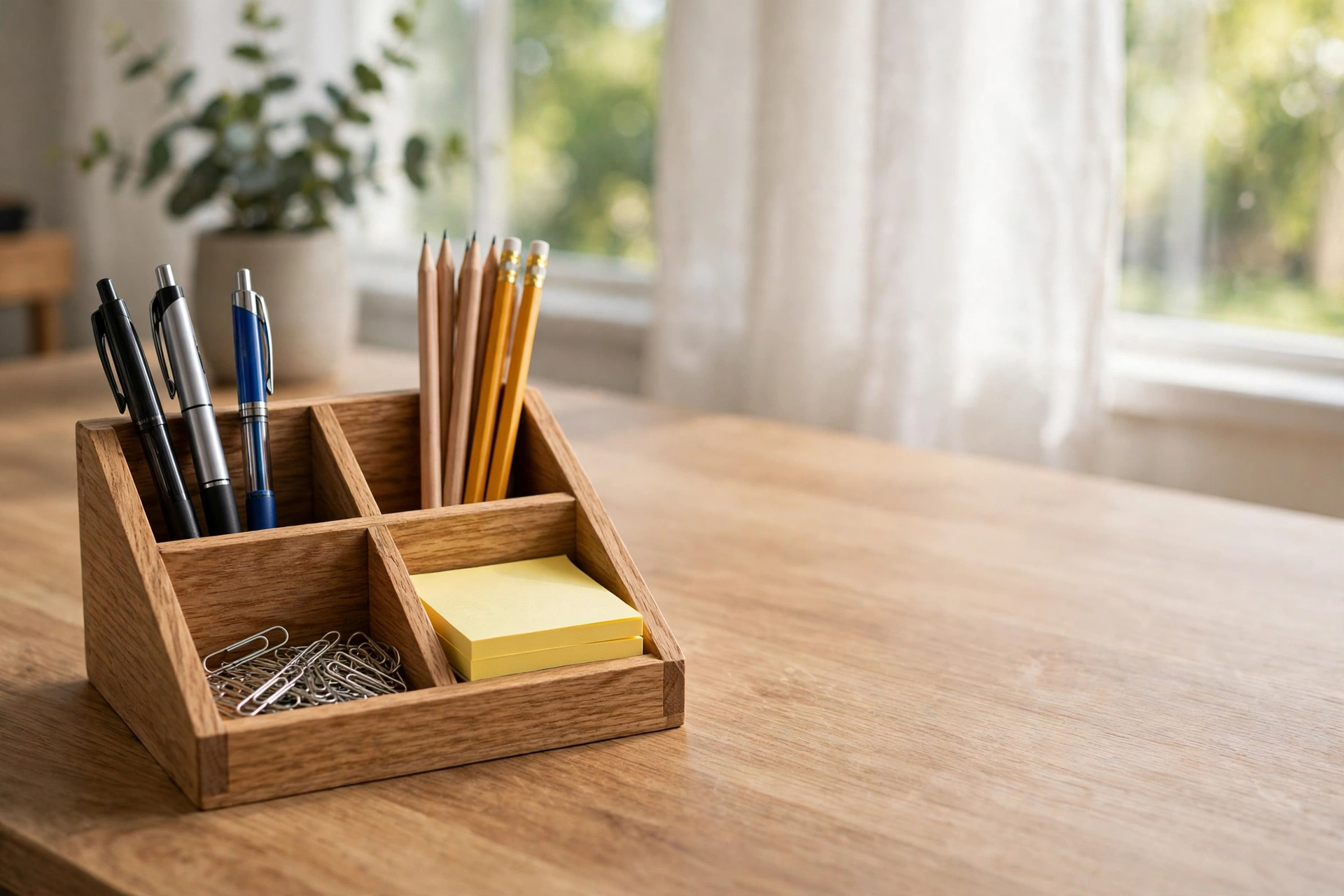
Pens, clips, sticky notes, and rubber bands are small, but they are the clutter that makes a desk look messy even when the big things are tidy. A single desk organizer — a tray with compartments, a rotating caddy, or a row of small cups — gives every small thing a home, so nothing drifts across the desktop. Pick one with compartments sized for what you actually own: a tall cup for pens, a shallow tray for paper clips and binder clips, and a small slot for sticky notes.
Keep the organizer to one, and keep it small. Two organizers side by side become clutter themselves, and an organizer that is bigger than a sheet of paper eats the workspace it is supposed to save. Put it on your non-dominant side so your writing hand has clear space, and refill it once a month from the drawer stock — the organizer holds the working supply, not the whole office store.
4. Cable Management: Label, Route, and Clip
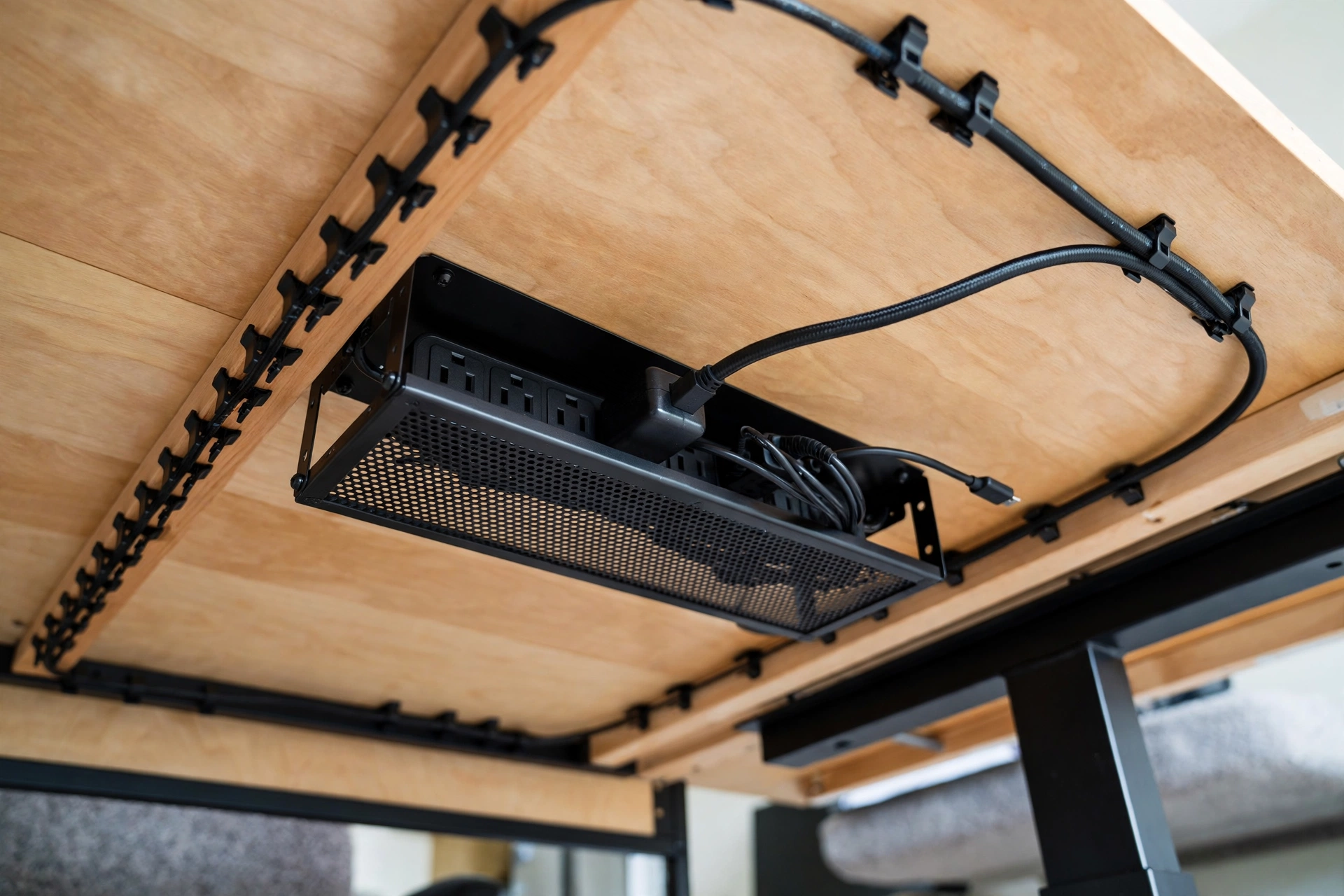
Cables are the invisible mess of every home office — a tangle of power cords, chargers, and monitor cables that collects dust, snags your feet, and makes unplugging the wrong thing a daily risk. Start by labeling every plug with a small tag or a strip of masking tape: monitor, laptop, lamp, phone charger. It takes five minutes and ends the guessing game forever.
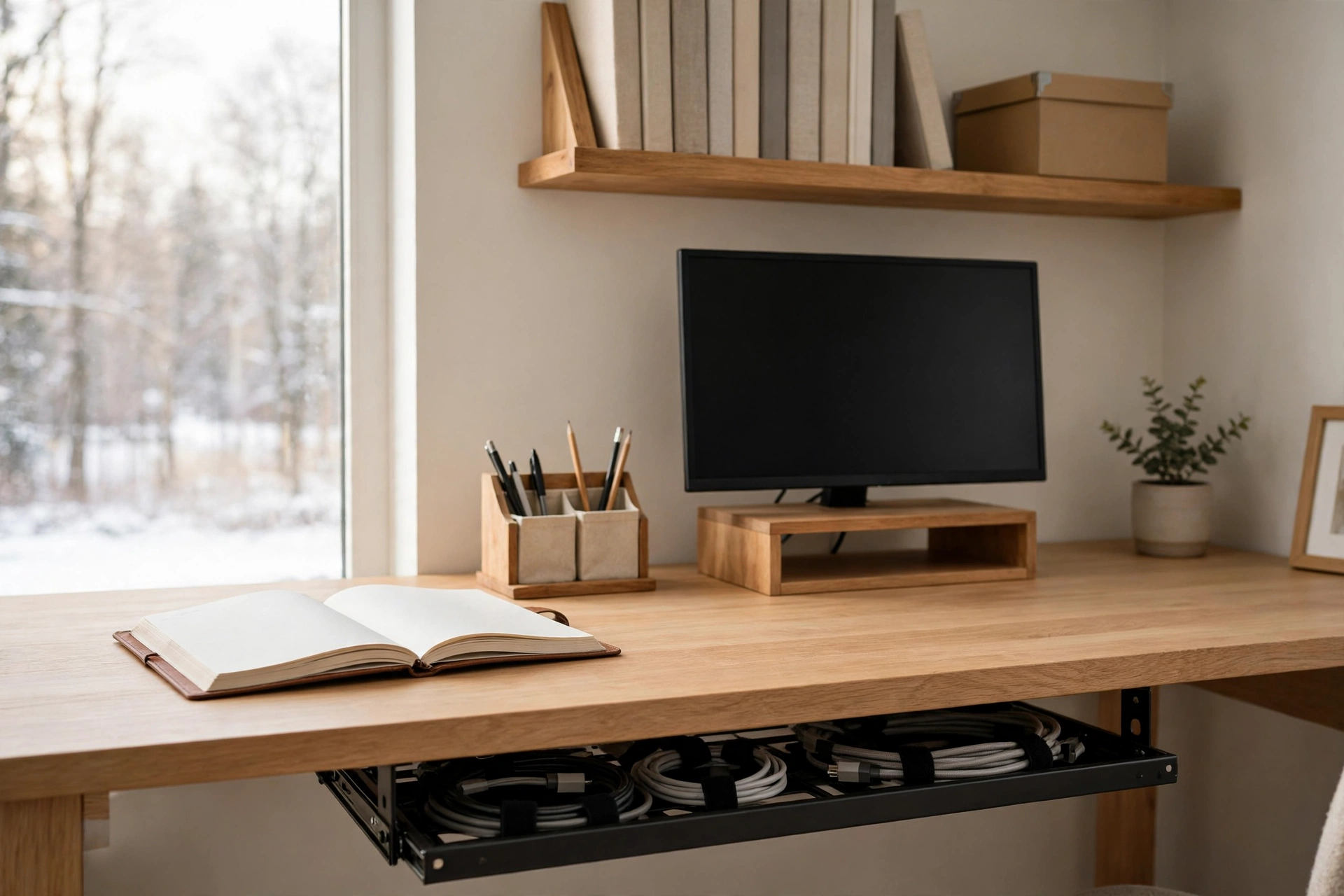
Then route the cables where they belong instead of letting them hang. A cable tray or a simple adhesive channel under the desk holds the power strip and the slack, cable clips along the desk edge guide each cord down to the tray, and a velcro tie bundles the extras. Keep the power strip off the floor and off the desk — under the desk, in the tray, is where it belongs. A desk with no visible cables looks twice as tidy, and it is safer too: no cords to trip over, no plugs to yank out by accident.
5. A Monitor Stand With Storage Underneath
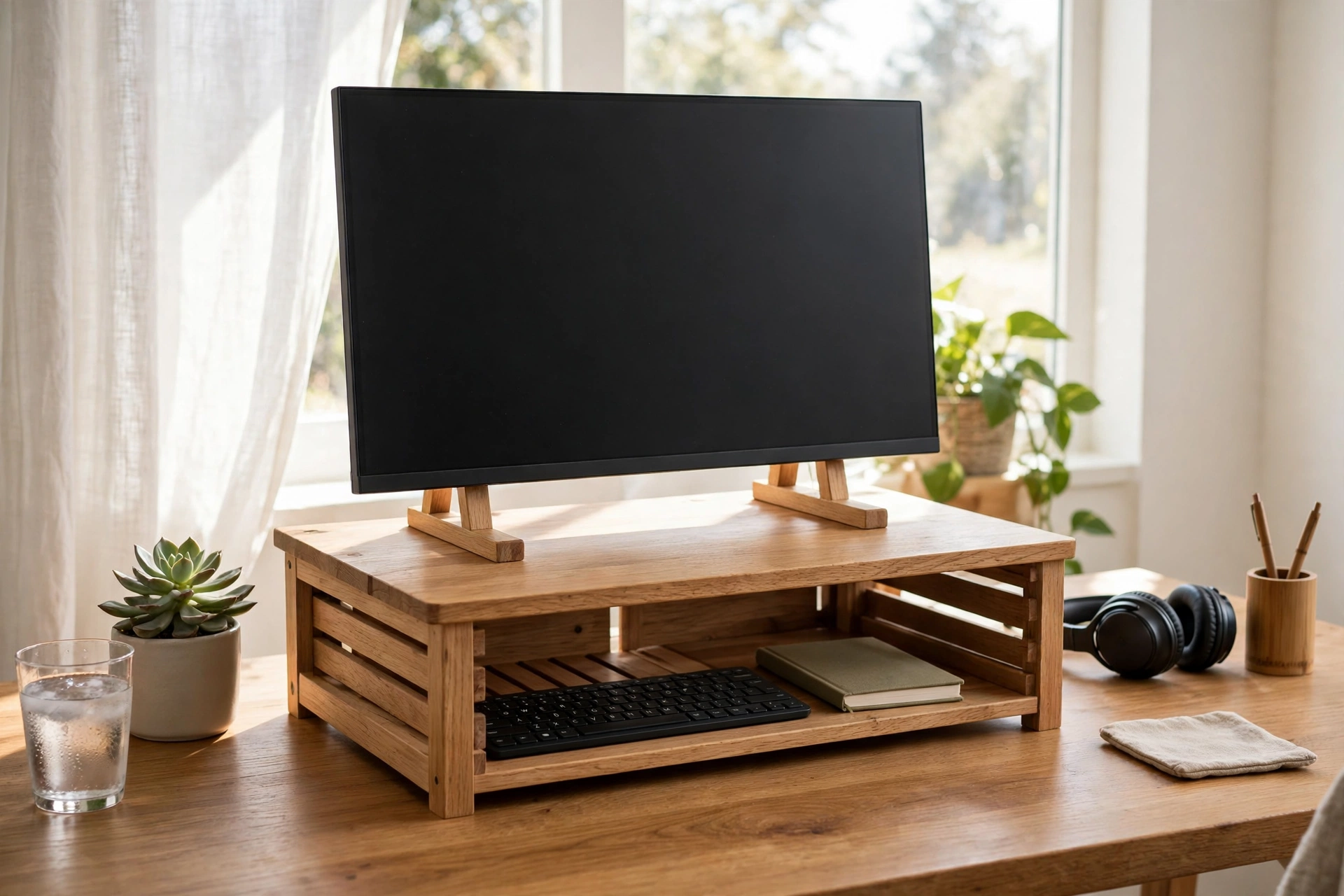
A monitor stand does two jobs at once: it lifts the screen to a comfortable height, and it creates a storage shelf underneath that did not exist before. The space under a monitor is usually dead space — a monitor stand turns it into a home for the keyboard when you are done, a notebook, a small tray of current papers, or the external hard drive. A wooden stand, a metal riser, or a stackable shelf all work, as long as it is sturdy and the monitor sits level on it.
Measure before you buy: the stand should be at least as wide as the monitor base, and the height underneath should fit whatever you plan to slide under it — usually five to six inches for a keyboard or a notebook. If you use a laptop instead of a monitor, a laptop stand does the same job, lifting the screen and freeing the space beneath for a notebook or a phone dock.
6. Drawer Dividers in Every Drawer
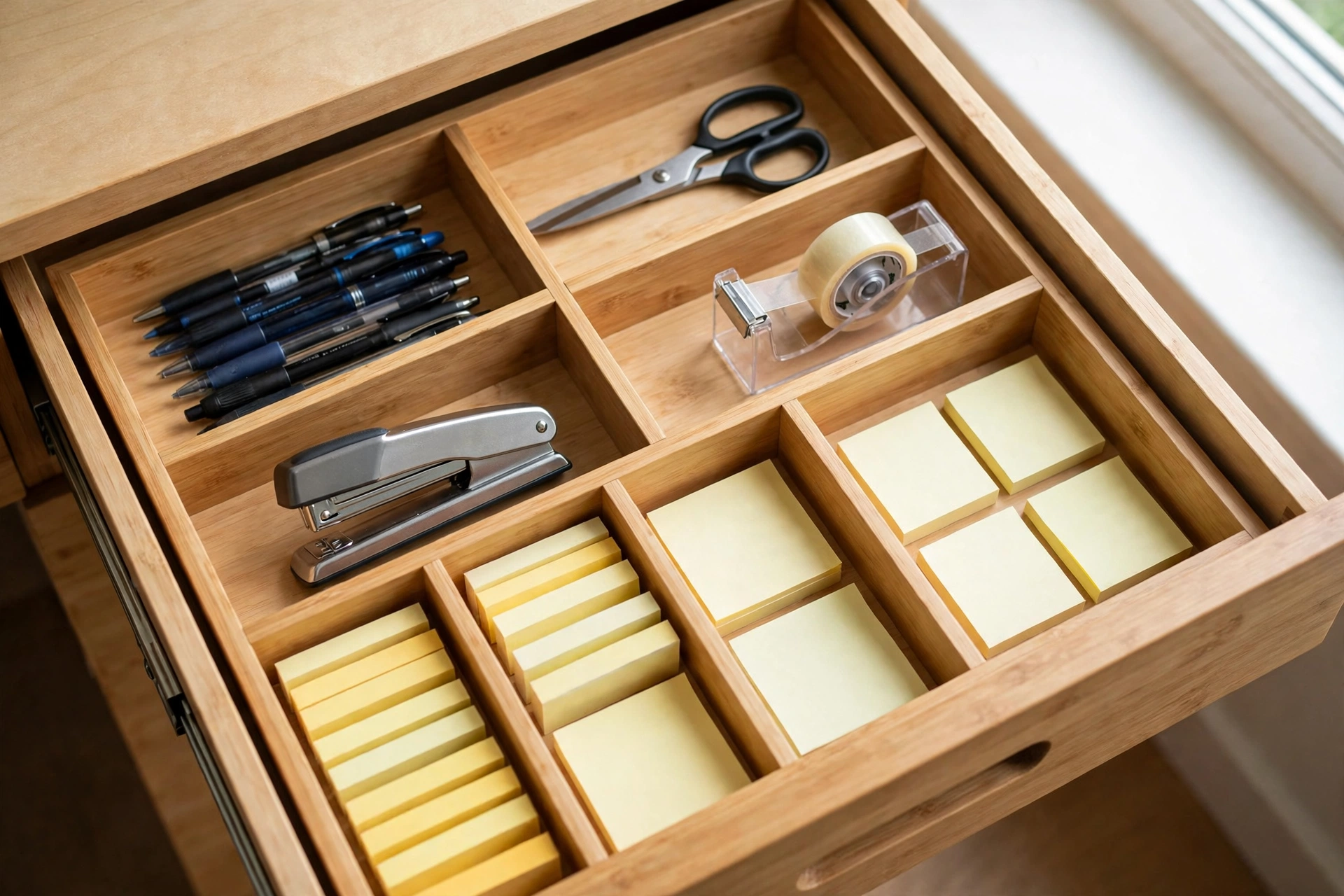
A desk drawer without dividers is just a box where things go to hide. Drawer dividers — the adjustable kind, or a set of small boxes and trays — turn each drawer into a grid where every item has a cell. The top drawer holds the daily tools: pens, a stapler, scissors, tape, and sticky notes, each in its own compartment. The second drawer holds the supplies: spare pens, batteries, envelopes, and labels.
Measure the inside of each drawer before you buy dividers, and leave one drawer deliberately half empty. That empty space is the buffer that keeps the system working — it is where the new notebook goes, where the project folder lives for the week, and where things go when they arrive instead of landing on the desktop. A drawer that is packed full on day one is a drawer that overflows by February.
7. A Filing System: Tray, Shred, and Digitize
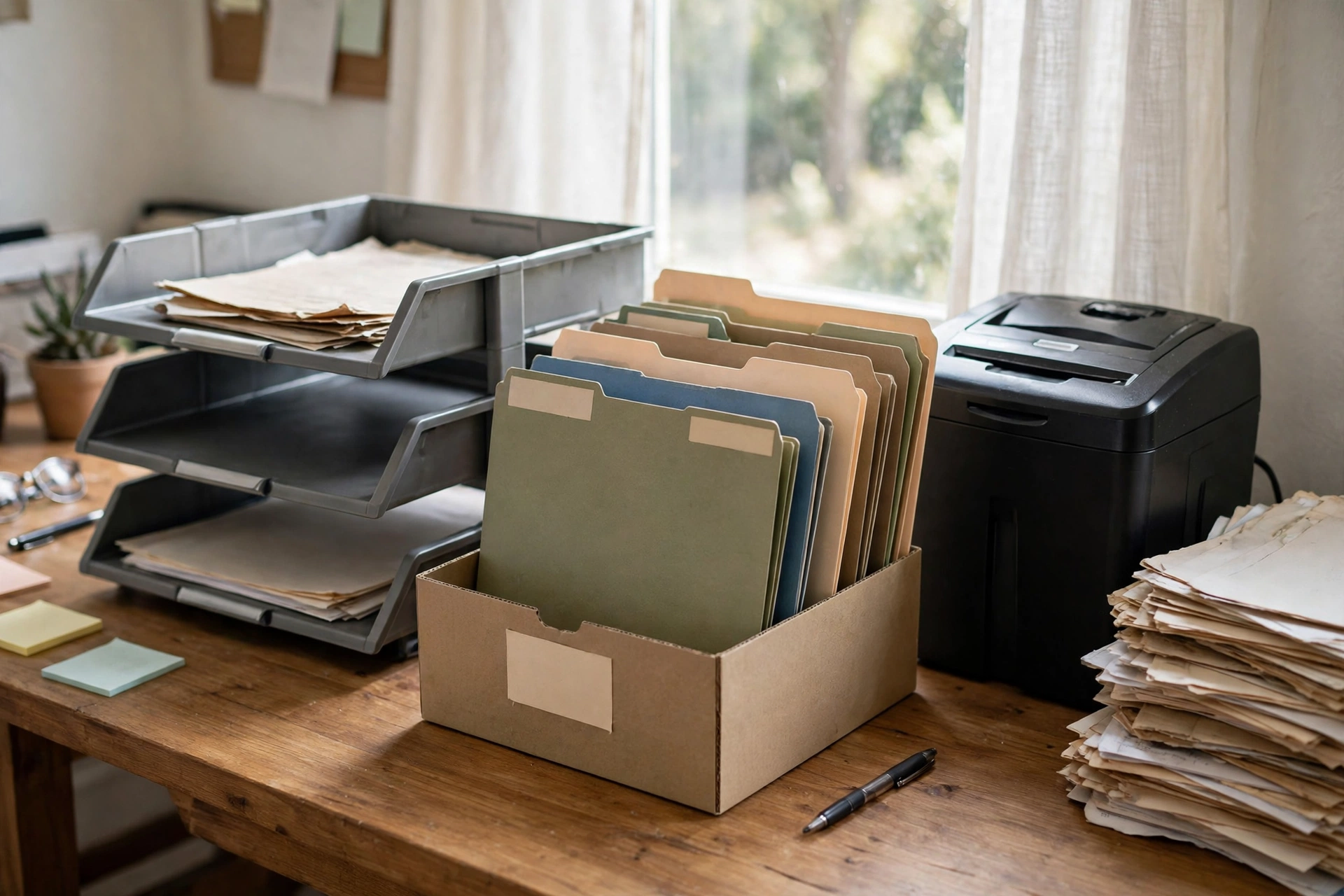
Paper is the clutter that comes back fastest, because new paper arrives every day. A filing system stops it at the door: one in-tray for paper that just arrived, one small filing box or accordion file for paper you must keep, and a shredder or a shred bag for paper with personal information. Every piece of paper that enters the office goes into the tray, and the tray gets emptied every Friday — file it, act on it, or shred it.
Old papers deserve their own pass during the January reset. Pull out last year’s files, shred the bank statements and bills you no longer need (most are available online now), and scan anything you want to keep but do not need on paper — tax documents, warranties, and kids’ school forms scan in minutes and live safely in a labeled folder on your computer. A filing system that only grows is not a system; the shredder and the scanner are what keep it honest.
8. A Planning Station Within Reach

A planning station is one small zone on the desk where the plan for the day lives: your planner or calendar open to today, the pen you actually like writing with, and today’s to-do list — nothing else. It sits within arm’s reach of where you sit, on the side you naturally glance at, and it never gets buried under other work. When you sit down in the morning, the plan is already there waiting.
Keep the station to three things: the planner, one pen, and the list. A second pen, a highlighter, and a ruler can live in the desk organizer an inch away, but the station itself stays minimal, because a planning station buried under supplies stops being a station. Write tomorrow’s top three tasks at the end of each workday, so the next morning starts with a plan instead of a hunt through email.
9. Zone the Desk: Work Zone and Reference Zone

A desk works better when it has zones instead of one big mixed surface. The work zone is the front half of the desk, directly in front of you: keyboard, mouse, current project, and nothing else. The reference zone is the back or side of the desk: the book you are consulting, the folder for the project, the notebook with the meeting notes. When the zones are clear, you stop shuffling things around every time you switch tasks.
Draw the line physically if it helps: the monitor stand marks the back edge of the work zone, the desk organizer marks the side edge, and everything behind those lines is reference, not work. At the end of each day, the reference zone gets cleared back to its shelf or its folder, and the work zone gets cleared to the bare desktop — so the next morning starts with the same clean split.
10. A Shelf Above the Desk

The wall above the desk is free storage, and a single shelf there takes the things that do not belong on the desktop but need to stay close: reference books, the filing box, a basket of supplies, and the binder for the current project. One shelf, mounted at eye level or just above, holds all of it without eating a single inch of desk space — and it keeps the reference zone in idea nine from creeping back onto the desk.
Keep the shelf to one row and keep it shallow — eight to ten inches deep is plenty, and anything deeper becomes a place where things get stacked and forgotten. Put the daily-use items at arm’s reach on the shelf’s left or right end, and the rarely used binders in the middle. A shelf that is packed edge to edge is a shelf that will shed things onto the desk, so leave a hand’s width of empty space at one end.
11. A Charging Station in One Spot
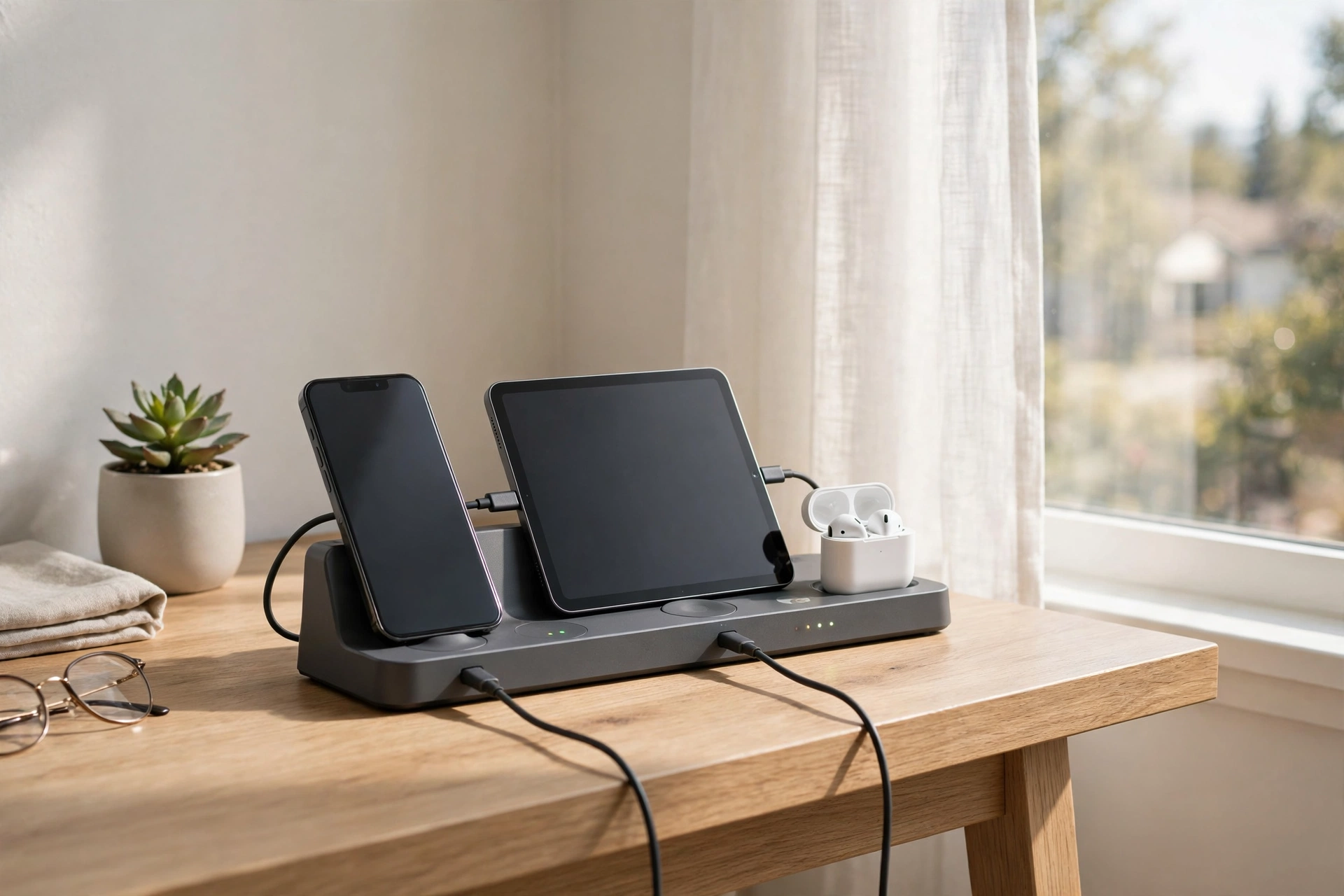
Phones, tablets, earbuds, and watches all need charging, and when each one charges wherever it happened to land, the desk ends up with four cables in four places. A charging station fixes that: one spot, one power strip or multi-port charger, and a small tray or dock where every device lives while it charges. The phone charges in the station, not on the desk next to the keyboard; the earbuds charge in the station, not in a drawer.
Put the station at the far corner of the desk or on the shelf above it — close enough to reach, far enough that a buzzing phone does not pull your eyes off your work every two minutes. One short cable per device, labeled at the plug, and the station doubles as the place devices go at the end of the day, so the desk is clear and everything is charged for the morning.
12. A Paperless Inbox: Scan and File

The paperless inbox is the digital twin of the filing system in idea seven: a tray or folder on the desk where incoming paper waits, and a scanner — a phone scanning app works fine — that turns it into a file the moment you deal with it. Mail gets opened over the tray, the envelope goes in the recycling, the letter gets scanned and filed in a labeled folder, and the paper original goes in the shred bag unless it is something you legally must keep on paper.
Set up the digital folders to match the paper ones: Taxes, Home, Medical, Work, and School, with a year in the folder name so last year’s files never mix with this year’s. Scan the backlog during the January reset — one folder a day for a week — and from then on the rule is simple: paper that arrives gets scanned the same day it arrives, and the desk never holds a stack of unscanned paper again.
13. An Ergonomics Check: Chair and Monitor Height

Organization is not only about where things go — it is about how the desk treats your body for eight hours a day. January is the right time for an ergonomics check, because a desk reset is already moving everything anyway. Sit in your chair the way you actually work, feet flat on the floor, and check three things: the monitor top should sit at or just below eye level, your elbows should rest at about ninety degrees when your hands are on the keyboard, and your lower back should touch the chair’s backrest without you having to lean.
Fix what is off with what you already have before buying anything new: a monitor stand or a stack of books lifts a low screen, a cushion or a rolled towel supports the lower back, and a footrest — even a small box — helps if your feet do not reach the floor. A chair that hurts by lunchtime is a system failure, not a personal failing, and the January reset is the cheapest moment to fix it.
14. A Plant and One Personal Item

This is the one idea in the article that is about how the desk feels, and it has a strict limit: one plant and one personal item, nothing more. A small pothos or snake plant on the far corner of the desk adds life without demanding attention — both survive a forgotten watering and low winter light — and one personal item, a framed photo or a favorite mug, makes the desk yours. That is the whole allowance.
The limit matters because the desk is a workspace first. Two plants become a collection, three personal items become a display, and a display is clutter with a nicer name. Pick the plant and the photo you love most, put them in the far corner where they never block the work zone, and let everything else live on the shelf or in a drawer. A desk with one plant and one photo feels personal; a desk with a dozen feels like a shop window.
15. The Weekly Ten-Minute Friday Reset
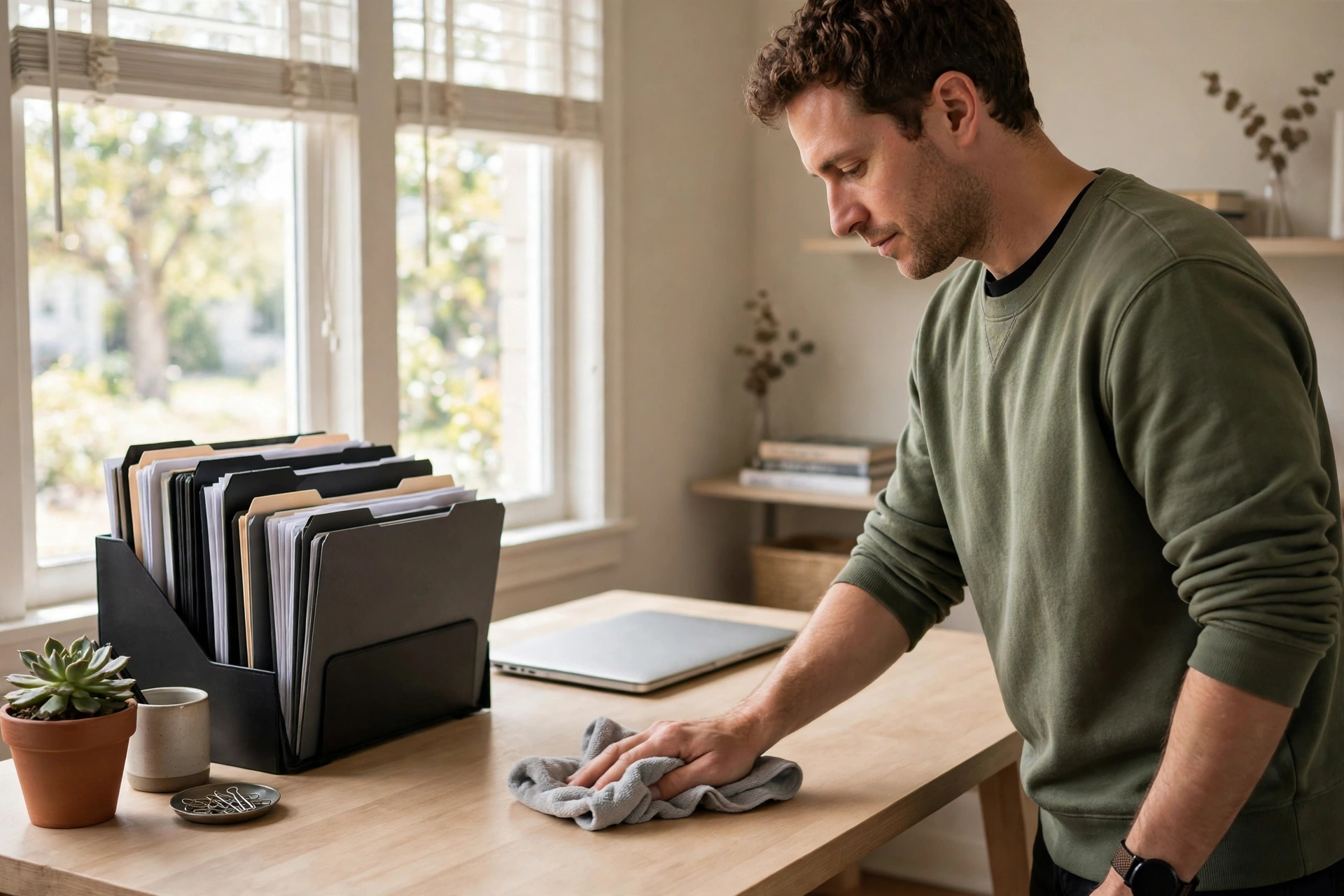
No organization system maintains itself, and the one that fails is the one nobody checks. The weekly ten-minute Friday reset is the habit that keeps all fourteen ideas above alive: every Friday before you stop work, set a timer for ten minutes, clear the desk back to bare, file or shred the week’s paper, return the reference books to the shelf, wipe the desktop, and write Monday’s top three tasks on the planning station. Ten minutes, once a week, is all it takes.
Put it on the calendar as a recurring Friday event so it survives busy weeks, and keep a small checklist taped inside the top drawer for the first month until it becomes automatic: clear, file, shred, return, wipe, plan. A desk that gets a ten-minute reset every Friday never needs another full January clear-out — because the January clear-out already happened, once, and the Friday reset is what keeps it from ever being needed again.
Frequently Asked Questions
How do I start organizing my home office in January?
Start with the full desk reset at the heart of these New Year home office organization ideas: empty everything off the desk, sort it into keep, relocate, and let go, and do not put anything back until the desk is clean. Then add one system at a time — the desk organizer, the cable tray, the drawer dividers — instead of trying to buy everything at once. The reset itself takes an afternoon; the systems take a week of small additions, and the Friday reset keeps it all in place.
What is the best way to organize cables under a desk?
The best cable setup in these New Year home office organization ideas is label, route, and clip: label every plug so you know what it powers, route the cables into a tray or channel under the desk, and clip each cord along the desk edge so it hangs straight instead of tangling. Keep the power strip in the tray under the desk, never on the floor or on the desktop, and use velcro ties instead of zip ties so you can add or remove a cable later without cutting anything.
How do I keep paper from piling up on my desk?
Paper piles up when it has nowhere to go, so these New Year home office organization ideas give it two exits: a filing system with an in-tray, a filing box, and a shredder, plus a paperless inbox where incoming paper gets scanned and filed digitally the same day it arrives. Empty the in-tray every Friday during the ten-minute reset — file it, act on it, or shred it — and scan the backlog one folder a day during January so the pile never comes back.
How often should I reset my home office?
Do the full clear-out once, in January, and then run the ten-minute Friday reset every week — that is the rhythm these New Year home office organization ideas are built around. A weekly reset keeps the desk from sliding back into a mess, and a quick seasonal check every three months catches the slow creep: the extra cables, the reference books that never went back to the shelf, and the drawer that quietly filled up again. Ten minutes a week beats another full afternoon every January.
What should stay on my desk, and what should go in a drawer?
Only the things you use every workday stay on the desk in these New Year home office organization ideas: your computer, your planner, one pen, and the current project. Everything else — spare supplies, reference books, extra chargers, and last week’s papers — goes in a drawer, on the shelf above the desk, or in the filing box. If you have not touched it in a week, it does not earn desktop space, and the one plant and one personal item in idea fourteen are the only exceptions to that rule.
Related Reading
- Pantry Organization Ideas
- Laundry Room Organization Ideas
- Small Closet Organization Ideas
- Under-Sink Organization Ideas
- How to Declutter Your Home Room by Room
- How to Clean a Dishwasher
Conclusion
A desk that works is not a desk that looks perfect in a photo — it is a desk where everything has a home, the cables are labeled and out of sight, the paper has somewhere to go, and the Friday reset keeps it that way. These New Year home office organization ideas start with the January clear-out and end with a ten-minute weekly habit, and that habit is the whole point: the reset takes an afternoon, but the system is what makes the desk still tidy in March. Empty the desk this weekend, add one system at a time, and let the Friday reset do the rest.